Interactive Flat Panel Display: Complete Guide
An Interactive Flat Panel Display is a modern digital display solution designed to make
teaching, presentations, collaboration and communication more interactive. Unlike a
traditional display, an interactive display allows users to interact directly with
digital content on the screen.
Interactive flat panel displays are increasingly being used in smart classrooms,
schools, colleges, training centres, meeting rooms, offices and other professional
environments where visual communication and collaboration are important.
In this guide, we will understand what an interactive flat panel display is, where it
can be used, its key benefits and what to consider before choosing an interactive
display.
-
What is an Interactive Flat Panel Display?
An Interactive Flat Panel Display is a large digital touchscreen display that allows users to view, present and interact with content directly on the screen. It can be used for displaying presentations, images, videos, documents, educational content and other digital material.
The interactive nature of the display makes it useful when users need to explain ideas, write notes, highlight information or collaborate with other people. -
Interactive Flat Panel for Smart Classrooms
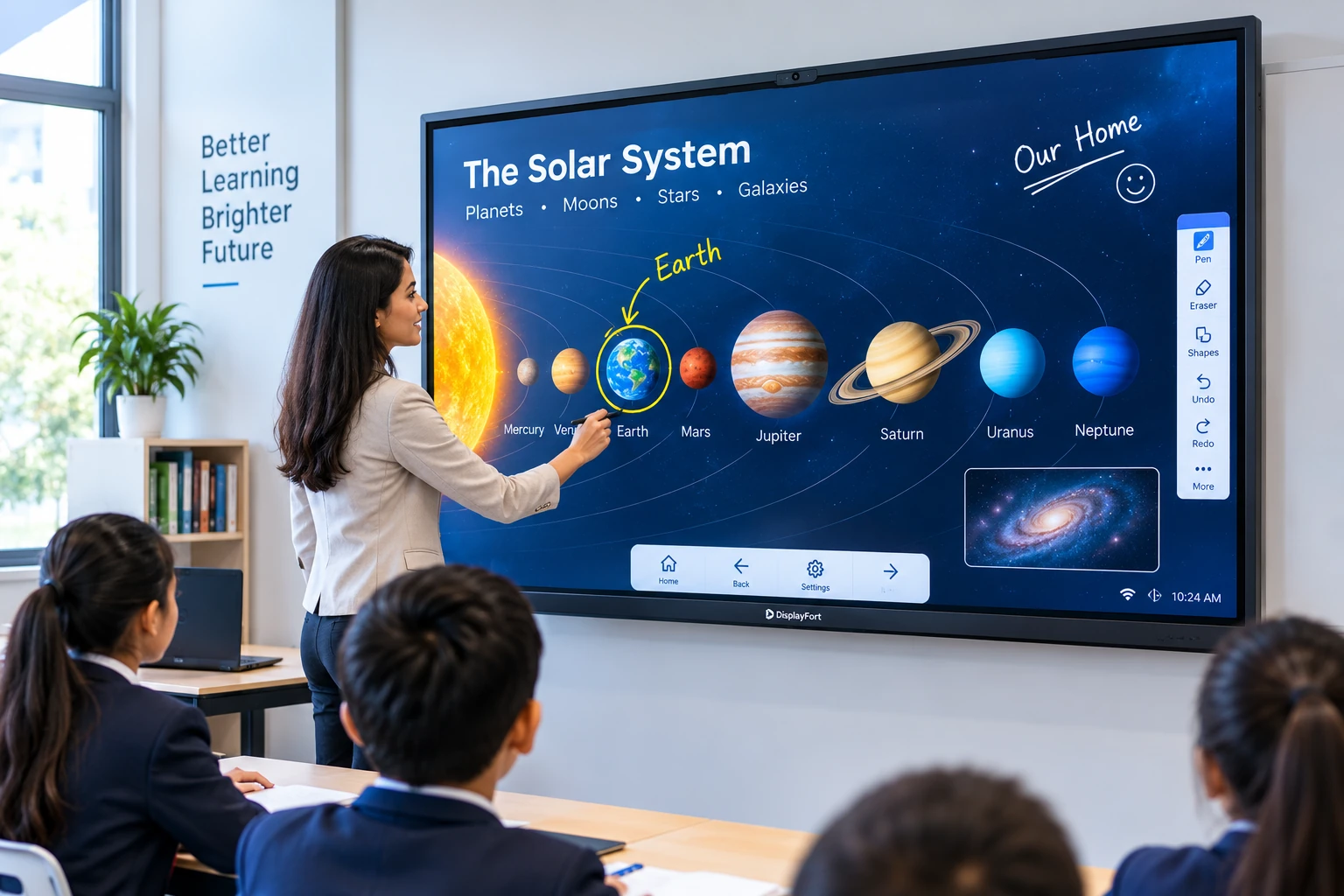
Interactive flat panel displays are an important part of modern smart classroom solutions. Teachers can use an interactive display to explain lessons using presentations, videos, images, digital content and on-screen annotations.
Instead of depending only on a traditional board and projector, teachers can present and interact with digital learning material from the same display. This can help make classroom sessions more engaging and easier to follow. -
Interactive Display for Schools and Education
Schools, colleges, coaching institutes and training centres can use interactive displays for classroom teaching, presentations, demonstrations and collaborative learning.
An interactive display can be used for different subjects and teaching activities, allowing teachers to combine text, images, videos and other digital resources during a lesson. -
Key Features of Interactive Displays
Interactive displays can provide several useful capabilities depending on the model and configuration selected.
-
Interactive Touchscreen
Users can interact directly with digital content on the display using touch-based controls.
-
Digital Whiteboarding
Teachers, presenters and teams can use the display as a digital whiteboard for writing, explaining ideas and making annotations.
-
Multimedia Presentation
Images, presentations, documents, videos and other digital content can be used during teaching or presentations.
-
Screen Sharing and Collaboration
Interactive displays can be integrated into presentation and collaboration setups where users need to share and discuss information.
-
Interactive Touchscreen
-
Interactive Display for Business and Offices
Interactive displays are not limited to education. Businesses and offices can use interactive display solutions for meetings, presentations, brainstorming, training sessions and collaborative discussions.
In a meeting room, an interactive display can help teams present information, explain concepts and work together on ideas using digital content. -
Interactive Flat Panel vs Traditional Projector
Traditional projectors have been widely used for classrooms and presentations, but interactive displays provide a more direct way to interact with digital content.
With an interactive flat panel, the content is displayed directly on the screen and users can interact with the display itself. This can make the setup useful for environments where frequent interaction, annotation and collaboration are required. -
Applications of Interactive Flat Panel Displays
Interactive flat panel displays can be used across different environments, including:
- Smart classrooms
- Schools and colleges
- Coaching and training centres
- Corporate meeting rooms
- Business presentations
- Training and collaboration spaces
- Interactive presentations
-
How to Choose an Interactive Flat Panel?
Before selecting an interactive flat panel display, organisations should first understand how and where the display will be used.
Important considerations include the required display size, viewing distance, room size, connectivity requirements, software compatibility, installation requirements and the type of content that will be displayed.
For educational environments, the requirements may be different from those of a corporate meeting room. Therefore, the right interactive display should be selected according to the actual application and usage requirements. -
Why Choose an Interactive Display Solution?
An interactive display can bring digital content, presentation and collaboration together in one visual workspace. It can be useful for organisations looking to improve the way information is presented and discussed.
For schools, interactive displays can support modern teaching methods. For businesses, they can support meetings, presentations and collaborative working.
Interactive Flat Panel Displays are becoming an important part of modern digital
classrooms, offices and collaborative environments. The right solution depends on the
application, room requirements and the way users need to interact with digital content.
Whether the requirement is for a smart classroom, school, training centre, meeting
room or business environment, an interactive display can provide a flexible platform
for presenting and interacting with digital information.

Yaval Laddha
Expert in Commercial Display & Software Development
